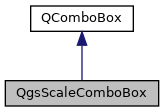
A combobox which lets the user select map scale from predefined list and highlights nearest to current scale value. More...
#include <qgsscalecombobox.h>
Public Types | |
| enum class | RatioMode : int { ForceUnitNumerator , Flexible } |
| Scale ratio modes. More... | |
Public Slots | |
| void | setMinScale (double scale) |
| Set the minimum allowed scale. | |
| void | setNull () |
| Sets the combo box to the null value. | |
| void | setRatioMode (QgsScaleComboBox::RatioMode mode) |
| Sets the ratio mode for the scale. | |
| void | setScale (double scale) |
| Set the selected scale from a double. | |
| void | updateScales (const QStringList &scales=QStringList()) |
| Sets the list of predefined scales to show in the combobox. | |
Signals | |
| void | ratioModeChanged (QgsScaleComboBox::RatioMode mode) |
| Emitted when the ratio mode for the widget is changed. | |
| void | scaleChanged (double scale) |
| Emitted when user has finished editing/selecting a new scale. | |
Public Member Functions | |
| QgsScaleComboBox (QWidget *parent=nullptr) | |
| Constructor for QgsScaleComboBox. | |
| bool | allowNull () const |
Returns true if the combobox can be set to a NULL value. | |
| bool | isNull () const |
Returns true if the combo box is currently set to a "null" value. | |
| double | minScale () const |
| Returns the minimum scale, or 0 if no minimum scale set. | |
| QgsScaleComboBox::RatioMode | ratioMode () const |
| Returns the ratio mode for the scale. | |
| double | scale () const |
| Returns the selected scale as a double. | |
| QString | scaleString () const |
| Returns the selected scale as a string, e.g. | |
| void | setAllowNull (bool allowNull) |
| Sets whether the scale combobox can be set to a NULL value. | |
| void | setPredefinedScales (const QVector< double > &scales) |
| Sets the list of predefined scales to show in the combobox. | |
| bool | setScaleString (const QString &string) |
| Set the selected scale from a string, e.g. | |
Static Public Member Functions | |
| static double | toDouble (const QString &string, bool *ok=nullptr) |
| Helper function to convert a scale string to double. | |
| static QString | toString (double scale, QgsScaleComboBox::RatioMode mode=QgsScaleComboBox::RatioMode::ForceUnitNumerator) |
| Helper function to convert a scale double to scale string. | |
Protected Member Functions | |
| void | showPopup () override |
Properties | |
| double | minScale |
| RatioMode | ratioMode |
| double | scale |
Detailed Description
A combobox which lets the user select map scale from predefined list and highlights nearest to current scale value.
Definition at line 31 of file qgsscalecombobox.h.
Member Enumeration Documentation
◆ RatioMode
|
strong |
Scale ratio modes.
- Since
- QGIS 4.0
| Enumerator | |
|---|---|
| ForceUnitNumerator | Default mode, forces the scale numerator to be 1, e.g. "1:1000". |
| Flexible | Allows numerator values other than 1, e.g: "2:3". |
Definition at line 44 of file qgsscalecombobox.h.
Constructor & Destructor Documentation
◆ QgsScaleComboBox()
| QgsScaleComboBox::QgsScaleComboBox | ( | QWidget * | parent = nullptr | ) |
Constructor for QgsScaleComboBox.
Definition at line 34 of file qgsscalecombobox.cpp.
Member Function Documentation
◆ allowNull()
| bool QgsScaleComboBox::allowNull | ( | ) | const |
Returns true if the combobox can be set to a NULL value.
- See also
- setAllowNull()
- isNull()
- setNull()
- Since
- QGIS 3.8
Definition at line 341 of file qgsscalecombobox.cpp.
◆ isNull()
| bool QgsScaleComboBox::isNull | ( | ) | const |
Returns true if the combo box is currently set to a "null" value.
- See also
- setAllowNull()
- setNull()
- Since
- QGIS 3.8
Definition at line 195 of file qgsscalecombobox.cpp.
◆ minScale()
|
inline |
Returns the minimum scale, or 0 if no minimum scale set.
The scale value indicates the scale denominator, e.g. 1000.0 for a 1:1000 map. Any scale lower than the minimum scale will automatically be converted to the minimum scale. Except for 0 which is always allowed.
Definition at line 90 of file qgsscalecombobox.h.
◆ ratioMode()
| QgsScaleComboBox::RatioMode QgsScaleComboBox::ratioMode | ( | ) | const |
Returns the ratio mode for the scale.
- See also
- setRatioMode()
- Since
- QGIS 4.0
Definition at line 245 of file qgsscalecombobox.cpp.
◆ ratioModeChanged
|
signal |
Emitted when the ratio mode for the widget is changed.
- Since
- QGIS 4.0
◆ scale()
| double QgsScaleComboBox::scale | ( | ) | const |
Returns the selected scale as a double.
The scale value indicates the scale denominator, e.g. 1000.0 for a 1:1000 map.
- See also
- setScale()
Definition at line 190 of file qgsscalecombobox.cpp.
◆ scaleChanged
|
signal |
Emitted when user has finished editing/selecting a new scale.
The scale value indicates the scale denominator, e.g. 1000.0 for a 1:1000 map.
◆ scaleString()
| QString QgsScaleComboBox::scaleString | ( | ) | const |
Returns the selected scale as a string, e.g.
"1:150".
- See also
- setScaleString()
Definition at line 147 of file qgsscalecombobox.cpp.
◆ setAllowNull()
| void QgsScaleComboBox::setAllowNull | ( | bool | allowNull | ) |
Sets whether the scale combobox can be set to a NULL value.
- See also
- allowNull()
- isNull()
- setNull()
- Since
- QGIS 3.8
Definition at line 334 of file qgsscalecombobox.cpp.
◆ setMinScale
|
slot |
Set the minimum allowed scale.
Set to 0 to disable the minimum scale. The scale value indicates the scale denominator, e.g. 1000.0 for a 1:1000 map. Any scale lower than the minimum scale will automatically be converted to the minimum scale. Except for 0 which is always allowed.
Definition at line 346 of file qgsscalecombobox.cpp.
◆ setNull
|
slot |
Sets the combo box to the null value.
This only has an effect if allowNull() is true.
- See also
- allowNull()
- isNull()
- Since
- QGIS 3.8
Definition at line 355 of file qgsscalecombobox.cpp.
◆ setPredefinedScales()
| void QgsScaleComboBox::setPredefinedScales | ( | const QVector< double > & | scales | ) |
Sets the list of predefined scales to show in the combobox.
List elements are expected to be scale denominators, e.g. 1000.0 for a 1:1000 map.
If scales is empty then the default user scale options will be used instead.
- Since
- QGIS 3.38
Definition at line 91 of file qgsscalecombobox.cpp.
◆ setRatioMode
|
slot |
Sets the ratio mode for the scale.
- See also
- ratioMode()
- Since
- QGIS 4.0
Definition at line 250 of file qgsscalecombobox.cpp.
◆ setScale
|
slot |
Set the selected scale from a double.
The scale value indicates the scale denominator, e.g. 1000.0 for a 1:1000 map.
- See also
- scale()
Definition at line 200 of file qgsscalecombobox.cpp.
◆ setScaleString()
| bool QgsScaleComboBox::setScaleString | ( | const QString & | string | ) |
Set the selected scale from a string, e.g.
"1:150".
- See also
- scaleString()
Definition at line 152 of file qgsscalecombobox.cpp.
◆ showPopup()
|
overrideprotected |
Definition at line 115 of file qgsscalecombobox.cpp.
◆ toDouble()
|
static |
Helper function to convert a scale string to double.
The returned value indicates the scale denominator, e.g. 1000.0 for a 1:1000 map. If specified, ok will be set to true if the string was successfully interpreted as a scale.
- See also
- toString()
Definition at line 294 of file qgsscalecombobox.cpp.
◆ toString()
|
static |
Helper function to convert a scale double to scale string.
The returned string will be rounded (e.g. 1:1000, not 1:1000.345).
- Parameters
-
scale scale value indicating the scale denominator, e.g. 1000.0 for a 1:1000 map. mode ratio mode (since QGIS 4.0)
- See also
- toDouble()
Definition at line 260 of file qgsscalecombobox.cpp.
◆ updateScales
|
slot |
Sets the list of predefined scales to show in the combobox.
List elements are expected to be valid scale strings, such as "1:1000000".
Definition at line 47 of file qgsscalecombobox.cpp.
Property Documentation
◆ minScale
|
readwrite |
Definition at line 35 of file qgsscalecombobox.h.
◆ ratioMode
|
readwrite |
Definition at line 36 of file qgsscalecombobox.h.
◆ scale
|
readwrite |
Definition at line 34 of file qgsscalecombobox.h.
The documentation for this class was generated from the following files:
- /build/qgis-4.3.0+git20261015+b46232e4f9a+99sid/src/gui/qgsscalecombobox.h
- /build/qgis-4.3.0+git20261015+b46232e4f9a+99sid/src/gui/qgsscalecombobox.cpp
Generated on for QGIS API Documentation by
 1.15.0