Public Types |
Public Slots |
Signals |
Public Member Functions |
Protected Member Functions |
Properties |
List of all members
QgsFontButton Class Reference
A button for customizing QgsTextFormat settings. More...
#include <qgsfontbutton.h>
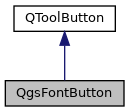
Inheritance diagram for QgsFontButton:
Public Types | |
| enum | Mode { ModeTextRenderer , ModeQFont } |
| Available button modes. More... | |
Public Slots | |
| void | copyColor () |
| Copies the current text color to the clipboard. | |
| void | copyFormat () |
| Copies the current text format to the clipboard. | |
| void | pasteColor () |
| Pastes a color from the clipboard to the text format. | |
| void | pasteFormat () |
| Pastes a format from the clipboard. | |
| void | setColor (const QColor &color) |
| Sets the current color for the text. | |
| void | setCurrentFont (const QFont &font) |
| Sets the current text font to show in the widget. | |
| void | setTextFormat (const QgsTextFormat &format) |
| Sets the current text format to show in the widget. | |
| void | setToNullFormat () |
| Sets the text format to a null (invalid) QgsTextFormat. | |
Signals | |
| void | changed () |
| Emitted when the widget's text format settings are changed. | |
Public Member Functions | |
| QgsFontButton (QWidget *parent=nullptr, const QString &dialogTitle=QString()) | |
| Construct a new font button. | |
| QFont | currentFont () const |
| Returns the current QFont set by the widget. | |
| QString | dialogTitle () const |
| Returns the title for the text settings dialog window. | |
| QgsVectorLayer * | layer () const |
| Returns the layer associated with the widget. | |
| QgsMapCanvas * | mapCanvas () const |
| Returns the map canvas associated with the widget. | |
| QgsMessageBar * | messageBar () const |
| Returns the message bar associated with the widget. | |
| QSize | minimumSizeHint () const override |
| QgsFontButton::Mode | mode () const |
| Returns the current button mode. | |
| void | registerExpressionContextGenerator (QgsExpressionContextGenerator *generator) |
| Register an expression context generator class that will be used to retrieve an expression context for the button when required. | |
| void | setDialogTitle (const QString &title) |
| Sets the title for the text settings dialog window. | |
| void | setLayer (QgsVectorLayer *layer) |
| Sets a layer to associate with the widget. | |
| void | setMapCanvas (QgsMapCanvas *canvas) |
| Sets a map canvas to associate with the widget. | |
| void | setMessageBar (QgsMessageBar *bar) |
| Sets the message bar associated with the widget. | |
| void | setMode (Mode mode) |
| Sets the current button mode. | |
| void | setNoFormatString (const QString &string) |
| Sets the string to use for the "null format" option in the button's drop-down menu. | |
| void | setShowNullFormat (const bool show) |
| Sets whether the "null format" option should be shown in the button's drop-down menu. | |
| bool | showNullFormat () const |
| Returns whether the "null format" option will be shown in the button's drop-down menu. | |
| QSize | sizeHint () const override |
| QgsTextFormat | textFormat () const |
| Returns the current text formatting set by the widget. | |
Protected Member Functions | |
| void | changeEvent (QEvent *e) override |
| void | dragEnterEvent (QDragEnterEvent *e) override |
| void | dragLeaveEvent (QDragLeaveEvent *e) override |
| void | dropEvent (QDropEvent *e) override |
| bool | event (QEvent *e) override |
| void | mouseMoveEvent (QMouseEvent *e) override |
| void | mousePressEvent (QMouseEvent *e) override |
| void | resizeEvent (QResizeEvent *event) override |
| void | showEvent (QShowEvent *e) override |
| void | wheelEvent (QWheelEvent *event) override |
Properties | |
| QFont | currentFont |
| QString | dialogTitle |
| Mode | mode |
| QgsTextFormat | textFormat |
Detailed Description
A button for customizing QgsTextFormat settings.
The button will open a detailed text format settings dialog when clicked. An attached drop-down menu allows for copying and pasting text styles, picking colors for the text, and for dropping colors from other color widgets.
The button can be used in two different modes(). The default behavior is to include all settings used for configuring QgsTextFormat/QgsTextRenderer classes. A cut down mode (without settings for color) is also available when the resultant font is used only in a QFont object.
Definition at line 47 of file qgsfontbutton.h.
Member Enumeration Documentation
◆ Mode
| enum QgsFontButton::Mode |
Available button modes.
| Enumerator | |
|---|---|
| ModeTextRenderer | Configure font settings for use with QgsTextRenderer. |
| ModeQFont | Configure font settings for use with QFont objects. |
Definition at line 58 of file qgsfontbutton.h.
Constructor & Destructor Documentation
◆ QgsFontButton()
| QgsFontButton::QgsFontButton | ( | QWidget * | parent = nullptr, |
| const QString & | dialogTitle = QString() ) |
Construct a new font button.
Use parent to attach a parent QWidget to the dialog. Use dialogTitle string to define the title to show in the text settings dialog.
Definition at line 45 of file qgsfontbutton.cpp.
Member Function Documentation
◆ changed
|
signal |
Emitted when the widget's text format settings are changed.
◆ changeEvent()
|
overrideprotected |
Definition at line 819 of file qgsfontbutton.cpp.
◆ copyColor
|
slot |
Copies the current text color to the clipboard.
This is only used when mode() is ModeTextRenderer.
- See also
- pasteColor()
Definition at line 981 of file qgsfontbutton.cpp.
◆ copyFormat
|
slot |
Copies the current text format to the clipboard.
- See also
- pasteFormat()
Definition at line 200 of file qgsfontbutton.cpp.
◆ currentFont()
| QFont QgsFontButton::currentFont | ( | ) | const |
Returns the current QFont set by the widget.
This is only used when mode() is ModeQFont.
- See also
- setCurrentFont()
Definition at line 761 of file qgsfontbutton.cpp.
◆ dialogTitle()
| QString QgsFontButton::dialogTitle | ( | ) | const |
Returns the title for the text settings dialog window.
- See also
- setDialogTitle()
Definition at line 1004 of file qgsfontbutton.cpp.
◆ dragEnterEvent()
|
overrideprotected |
Definition at line 318 of file qgsfontbutton.cpp.
◆ dragLeaveEvent()
|
overrideprotected |
Definition at line 346 of file qgsfontbutton.cpp.
◆ dropEvent()
|
overrideprotected |
Definition at line 353 of file qgsfontbutton.cpp.
◆ event()
|
overrideprotected |
Definition at line 230 of file qgsfontbutton.cpp.
◆ layer()
| QgsVectorLayer * QgsFontButton::layer | ( | ) | const |
Returns the layer associated with the widget.
- See also
- setLayer()
- Since
- QGIS 3.10
Definition at line 766 of file qgsfontbutton.cpp.
◆ mapCanvas()
| QgsMapCanvas * QgsFontButton::mapCanvas | ( | ) | const |
Returns the map canvas associated with the widget.
- See also
- setMapCanvas()
Definition at line 144 of file qgsfontbutton.cpp.
◆ messageBar()
| QgsMessageBar * QgsFontButton::messageBar | ( | ) | const |
Returns the message bar associated with the widget.
- See also
- setMessageBar()
- Since
- QGIS 3.10
Definition at line 159 of file qgsfontbutton.cpp.
◆ minimumSizeHint()
|
override |
Definition at line 71 of file qgsfontbutton.cpp.
◆ mode()
| QgsFontButton::Mode QgsFontButton::mode | ( | ) | const |
Returns the current button mode.
- See also
- setMode()
Definition at line 788 of file qgsfontbutton.cpp.
◆ mouseMoveEvent()
|
overrideprotected |
Definition at line 267 of file qgsfontbutton.cpp.
◆ mousePressEvent()
|
overrideprotected |
Definition at line 253 of file qgsfontbutton.cpp.
◆ pasteColor
|
slot |
Pastes a color from the clipboard to the text format.
If clipboard does not contain a valid color or string representation of a color, then no change is applied. This is only used when mode() is ModeTextRenderer.
- See also
- copyColor()
Definition at line 987 of file qgsfontbutton.cpp.
◆ pasteFormat
|
slot |
Pastes a format from the clipboard.
If clipboard does not contain a valid format then no change is applied.
- See also
- copyFormat()
Definition at line 214 of file qgsfontbutton.cpp.
◆ registerExpressionContextGenerator()
| void QgsFontButton::registerExpressionContextGenerator | ( | QgsExpressionContextGenerator * | generator | ) |
Register an expression context generator class that will be used to retrieve an expression context for the button when required.
- Since
- QGIS 3.10
Definition at line 776 of file qgsfontbutton.cpp.
◆ resizeEvent()
|
overrideprotected |
Definition at line 834 of file qgsfontbutton.cpp.
◆ setColor
|
slot |
Sets the current color for the text.
Will emit a changed signal if the color is different to the previous text color. This is only used when mode() is ModeTextRenderer.
Definition at line 184 of file qgsfontbutton.cpp.
◆ setCurrentFont
|
slot |
Sets the current text font to show in the widget.
This is only used when mode() is ModeQFont.
- See also
- currentFont()
Definition at line 781 of file qgsfontbutton.cpp.
◆ setDialogTitle()
| void QgsFontButton::setDialogTitle | ( | const QString & | title | ) |
Sets the title for the text settings dialog window.
- See also
- dialogTitle()
Definition at line 999 of file qgsfontbutton.cpp.
◆ setLayer()
| void QgsFontButton::setLayer | ( | QgsVectorLayer * | layer | ) |
Sets a layer to associate with the widget.
This allows the widget to setup layer related settings within the text settings dialog, such as correctly populating data defined override buttons.
- See also
- layer()
- Since
- QGIS 3.10
Definition at line 771 of file qgsfontbutton.cpp.
◆ setMapCanvas()
| void QgsFontButton::setMapCanvas | ( | QgsMapCanvas * | canvas | ) |
Sets a map canvas to associate with the widget.
This allows the widget to fetch current settings from the map canvas, such as current scale.
- See also
- mapCanvas()
Definition at line 149 of file qgsfontbutton.cpp.
◆ setMessageBar()
| void QgsFontButton::setMessageBar | ( | QgsMessageBar * | bar | ) |
Sets the message bar associated with the widget.
This allows the widget to push feedback messages to the appropriate message bar.
- See also
- messageBar()
- Since
- QGIS 3.10
Definition at line 154 of file qgsfontbutton.cpp.
◆ setMode()
| void QgsFontButton::setMode | ( | Mode | mode | ) |
Sets the current button mode.
This can be used to toggle between the full capabilities of the button (for configuring QgsTextFormat/QgsTextRenderer objects) and a cut-back version for configuring QFont object properties (i.e. with no color settings or the other advanced options QgsTextFormat allows).
- See also
- mode()
Definition at line 793 of file qgsfontbutton.cpp.
◆ setNoFormatString()
|
inline |
Sets the string to use for the "null format" option in the button's drop-down menu.
- Note
- The "null format" option is only shown if showNullFormat() is
true.
- See also
- setShowNullFormat()
- Since
- QGIS 3.16
Definition at line 191 of file qgsfontbutton.h.
◆ setShowNullFormat()
|
inline |
Sets whether the "null format" option should be shown in the button's drop-down menu.
This option is only used for buttons set to the ModeTextRenderer mode().
If selected, the "null format" option sets the button's format to an invalid QgsTextFormat. This can be used to represent a "use default format" state for the button.
By default this option is not shown.
- See also
- setNoFormatString()
- showNullFormat()
- Since
- QGIS 3.16
Definition at line 181 of file qgsfontbutton.h.
◆ setTextFormat
|
slot |
Sets the current text format to show in the widget.
This is only used when mode() is ModeTextRenderer.
- See also
- textFormat()
Definition at line 164 of file qgsfontbutton.cpp.
◆ setToNullFormat
|
slot |
Sets the text format to a null (invalid) QgsTextFormat.
This is only used when mode() is ModeTextRenderer.
- Since
- QGIS 3.16
Definition at line 177 of file qgsfontbutton.cpp.
◆ showEvent()
|
overrideprotected |
Definition at line 828 of file qgsfontbutton.cpp.
◆ showNullFormat()
|
inline |
Returns whether the "null format" option will be shown in the button's drop-down menu.
This option is only used for buttons set to the ModeTextRenderer mode().
If selected, the "null format" option sets the button's format to an invalid QgsTextFormat. This can be used to represent a "use default format" state for the button.
By default this option is not shown.
- See also
- setShowNullFormat()
- Since
- QGIS 3.16
Definition at line 205 of file qgsfontbutton.h.
◆ sizeHint()
|
override |
Definition at line 76 of file qgsfontbutton.cpp.
◆ textFormat()
|
inline |
Returns the current text formatting set by the widget.
This is only used when mode() is ModeTextRenderer.
- See also
- setTextFormat()
Definition at line 136 of file qgsfontbutton.h.
◆ wheelEvent()
|
overrideprotected |
Definition at line 390 of file qgsfontbutton.cpp.
Property Documentation
◆ currentFont
|
readwrite |
Definition at line 53 of file qgsfontbutton.h.
◆ dialogTitle
|
readwrite |
Definition at line 52 of file qgsfontbutton.h.
◆ mode
|
readwrite |
Definition at line 51 of file qgsfontbutton.h.
◆ textFormat
|
readwrite |
Definition at line 54 of file qgsfontbutton.h.
The documentation for this class was generated from the following files:
- /build/qgis-4.3.0+git20261027+52aa6503bed+99sid/src/gui/qgsfontbutton.h
- /build/qgis-4.3.0+git20261027+52aa6503bed+99sid/src/gui/qgsfontbutton.cpp
Generated on for QGIS API Documentation by
 1.17.0